How to Choose a Wedding Dress for Your Body Type

Trying on dresses without a plan can turn wedding dress shopping into a frustrating, hours-long guessing game. Once you understand your body shape and what tends to flatter it, appointments become far more focused: you can walk in already knowing which necklines, fabrics, and cuts to reach for first.

This guide breaks down how to choose a wedding dress based on body type, so you can shortlist styles with more confidence before your first fitting.

Start With How You Want to Feel, Not Just How You Look

Before getting into body shapes, it helps to decide how you want to feel on the day: fitted and sleek, soft and romantic, or dramatic and voluminous. Body type guidance narrows down what will likely look best on you, but the dress that makes you feel most like yourself is still the right starting point.

Understand Your Body Shape First

  • Hourglass: Bust and hips are roughly balanced with a defined waist.
  • Pear: Hips are noticeably fuller than the bust and shoulders.
  • Apple: Weight sits more through the midsection, with a less defined waist.
  • Rectangle: Bust, waist, and hips are similar in width, with less curve overall.
  • Inverted triangle: Shoulders and bust are broader than the hips.

Most people are a blend of these categories rather than a perfect match to one, which is completely normal and not something a good dress needs to “fix.”

Best Wedding Dress Styles by Body Type

Body Type Necklines to Try Silhouettes to Try
Hourglass Sweetheart, V-neck Mermaid, Trumpet, Fitted A-line
Pear Off-the-shoulder, Boat neck A-line, Ball Gown
Apple V-neck, Sweetheart Empire Waist, A-line
Rectangle Sweetheart, Illusion Mermaid, Fit-and-Flare
Inverted Triangle V-neck, Halter with fuller skirt A-line, Ball Gown

For a deeper look at each silhouette and why it works the way it does, see this guide to wedding dress silhouettes, which pairs well with the body type guidance above.

Fabric Choices That Flatter Different Body Types

Structured Fabrics

Satin, mikado, and heavier taffeta hold their shape and add gentle structure, which works well for hourglass and pear shapes that want definition at the waist without relying on excessive boning.

Flowing Fabrics

Chiffon and soft crepe drape close to the body without clinging, making them a forgiving option for apple and rectangle shapes that want gentle movement rather than a rigid silhouette.

Stretch Fabrics

Crepe blends with a small amount of stretch are increasingly common in fitted mermaid and sheath styles, and they make a close fit considerably more comfortable for sitting, dancing, and standing through a long reception.

Necklines and What They Do for Your Shape

A sweetheart neckline softens broader shoulders and adds shape through the bust, while a V-neck elongates the torso and works well for both fuller busts and narrower frames. Off-the-shoulder and boat necklines widen the visual line across the collarbone, which balances out fuller hips nicely, and a halter neckline draws the eye upward, which flatters an inverted triangle shape when paired with a fuller skirt below.

Practical Tips for Dress Shopping Appointments

  • Wear or bring nude, seamless underwear similar to what you plan to wear on the day.
  • Bring the same heel height you expect to wear, or something close to it.
  • Try on at least one dress outside your initial preference, since fit in person is often surprising.
  • Take photos or a short video in natural light after each dress, since memory alone is unreliable after several fittings.
  • Ask about the realistic alteration timeline before falling in love with a dress that needs major changes.

Common Fitting Mistakes to Avoid

  • Choosing a dress a size smaller with the intention of losing weight before the wedding.
  • Ignoring how a dress feels when sitting down, not just standing in front of a mirror.
  • Overlooking bra and undergarment options that could change how a bodice actually sits.
  • Skipping a second fitting closer to the wedding date, when body shape can shift slightly.

Frequently Asked Questions

Can alterations change a dress’s silhouette significantly?

Alterations can take in a waist, adjust a hemline, or add straps, but they cannot realistically convert one silhouette into a completely different one, such as turning a ball gown into a sheath.

Should I choose a dress based on current trends or my body type?

Body type should generally take priority. A trending style that does not suit your shape or comfort preferences is far less likely to feel right than a slightly more classic option chosen for fit.

How many dresses should I try on before deciding?

There is no fixed number, but trying on somewhere between five and ten dresses across a few different silhouettes usually gives enough range to notice a clear favorite without becoming overwhelming.

Is it normal to feel emotional or overwhelmed while dress shopping?

Yes, this is extremely common. Bringing one or two trusted people, rather than a large group, generally makes the experience calmer and the final decision easier.

Do body type guidelines apply to plus-size brides too?

Yes. The same shape-based guidance applies regardless of size, and most bridal retailers now carry an extended size range specifically to support this.

Summary

Choosing a wedding dress becomes far less overwhelming once you understand your body shape, which necklines and silhouettes tend to flatter it, and which fabrics support the fit you want. Use body type as a starting point rather than a strict rule, try on a reasonable range of styles, and prioritize how a dress feels to move and sit in, not just how it looks in a single mirror moment.

Row of wedding gowns hanging in an elegant bridal boutique fitting room

Essential iPhone Privacy and Security Settings You Should Enable Today

Your iPhone holds more personal information than most people realize: banking apps, private messages, location history, health data, and years of photos. iOS includes strong privacy and security tools by default, but several of the most important protections are not switched on automatically and need a few minutes of setup.

This guide walks through the privacy and security settings worth checking today, in order of importance, so you can close the most common gaps first.

Why iPhone Privacy Settings Matter More Than You Think

Apple builds strong security into iOS, but privacy is a shared responsibility between the operating system and how you configure it. A lost or stolen phone, a weak passcode, or an app with excessive permissions can undo much of that built-in protection. The good news is that most of the fixes below take less than a minute each.

Essential Settings to Enable Right Away

Use a Strong Passcode with Face ID or Touch ID

A six-digit passcode is the current default, but switching to a longer alphanumeric passcode under Settings, then Face ID & Passcode, meaningfully increases how long it would take someone to guess it. Face ID or Touch ID should also be enabled so you rarely need to type the passcode in public.

Turn On Two-Factor Authentication for Your Apple ID

Two-factor authentication means a stolen password alone is not enough to access your Apple ID. It can be checked and enabled under Settings, your name at the top, then Sign-In & Security. Once it is on, any new sign-in attempt requires a verification code sent to a trusted device.

Enable Find My iPhone

Find My iPhone, found in the same Sign-In & Security section, allows you to locate, lock, or erase your device remotely if it is lost or stolen. It also activates Activation Lock, which prevents anyone else from using your iPhone even after a factory reset.

Review App Tracking Transparency

Under Settings, Privacy & Security, then Tracking, you can see which apps have asked to track your activity across other apps and websites, and revoke that permission for any app you do not fully trust.

Limit Personalized Advertising

In the same Privacy & Security menu, turning off Apple Advertising personalization reduces how much of your on-device activity is used to target ads, without affecting how apps otherwise function.

Audit App Permissions Periodically

Location Services, microphone, camera, and contacts access are all listed individually under Privacy & Security. It is worth reviewing this list every few months, since apps you installed once for a single use often retain permissions long after you stop using them.

Lock Screen Privacy Settings

Setting Why It Matters
Show Previews Set to “When Unlocked” so message content is not visible on a locked screen.
Today View on Lock Screen Disable if it exposes personal widgets to anyone holding the phone.
Control Center Access Restrict access from the lock screen to prevent toggling settings without unlocking.
USB Accessories Require a passcode to connect accessories when the phone has been locked for over an hour.

Network and Browsing Privacy

Safari’s Privacy & Security section includes Intelligent Tracking Prevention, which is on by default and limits how advertisers can follow you across websites. It is also worth enabling Private Wi-Fi Address for each network under Settings, then Wi-Fi, so your iPhone uses a randomized identifier instead of broadcasting its real hardware address to every network it joins.

Keeping Your iPhone Updated

Security patches are delivered through regular iOS updates, and enabling automatic updates under Settings, General, then Software Update ensures these fixes are installed promptly rather than delayed for weeks. Many real-world attacks specifically target devices running outdated software, so this single setting closes a meaningful amount of risk on its own.

Common Privacy Mistakes to Avoid

  • Reusing the same passcode across your iPhone, Apple ID, and other accounts.
  • Ignoring software update prompts for weeks or months at a time.
  • Granting “Always” location access to apps that only need it while in use.
  • Leaving message previews visible on the lock screen in shared or public spaces.
  • Connecting to open public Wi-Fi networks without reviewing what data an app transmits over them.

Frequently Asked Questions

Does enabling these settings slow down my iPhone?

No. Privacy and security settings run in the background with negligible impact on performance or battery life.

Is Face ID actually more secure than a passcode?

Face ID is convenient and resistant to casual snooping, but it should be paired with a strong passcode rather than replacing it, since a passcode is still required as a fallback and after restarts.

What should I do if I think my Apple ID was compromised?

Change your Apple ID password immediately, review trusted devices under Sign-In & Security, and check for unfamiliar sign-in locations. Apple’s official Apple ID security guide walks through the full recovery process.

Do these settings apply the same way on an older iPhone?

The core settings are available on any iPhone still receiving iOS updates, though menu names and exact locations have shifted slightly across iOS versions.

Should I turn off location services entirely?

Not necessarily. Location Services power useful features like Find My and Maps. It is generally more useful to review permissions app by app rather than disabling location access system-wide.

Summary

Most of the meaningful privacy and security gains on an iPhone come from a short list of settings: a strong passcode paired with Face ID or Touch ID, two-factor authentication on your Apple ID, Find My iPhone turned on, careful review of app tracking and permissions, and keeping iOS updated automatically. None of these take long to configure, and together they close the majority of the realistic risks an everyday iPhone user actually faces. If you are also trying to get more life out of your current phone, it is worth pairing these steps with a look at iPhone battery health and care, since security and longevity often go hand in hand.

Smartphone screen showing an account security verification prompt

Wedding Dress Silhouettes Explained: Which Shape Suits You Best

Choosing a wedding dress usually starts with silhouette, not fabric or lace pattern. The silhouette is the overall shape the dress creates, and it affects everything else: how the gown photographs, how it moves when you walk, and how comfortable you feel standing in it for an entire day. Once you know which shape flatters your figure and suits your venue, the rest of the search narrows dramatically.

This guide walks through the major wedding dress silhouettes, explains which body types and venues each one suits best, and gives you a practical way to shortlist styles before you ever set foot in a bridal boutique.

Why Silhouette Is the First Decision to Make

Bridal boutiques often ask brides to describe fabric preferences or neckline style first, but stylists generally agree silhouette should come first. It is the foundation everything else is built on, and changing it later usually means starting the search over. Brides who already know their preferred silhouette from browsing current wedding dress trends tend to have a much shorter and less overwhelming shopping experience.

The Main Wedding Dress Silhouettes

Ball Gown

The ball gown is the classic fairy-tale shape: a fitted bodice paired with a dramatically full skirt that starts at the natural waist. It creates the most defined waistline of any silhouette and works well for formal, black-tie weddings. The tradeoff is practicality: the volume can be heavy, makes sitting down and dancing more difficult, and generally requires a large venue to avoid feeling cramped.

A-Line

A-line dresses are fitted through the bodice and gradually flare out from the waist or just below it, forming a shape similar to the letter A. This is consistently the most popular silhouette because it flatters nearly every body type, moves comfortably, and works for both formal and casual venues.

Mermaid and Trumpet

Mermaid gowns hug the body closely from the bust to the knee or mid-thigh before flaring out dramatically, while trumpet gowns have a gentler, more gradual flare starting lower on the leg. Both silhouettes highlight curves and create a dramatic silhouette in photos, but they require confidence with a fitted fit and are less forgiving of alterations later in the planning process.

Sheath (or Column)

A sheath dress follows the body’s natural line from top to bottom without flaring at all. It is lightweight, minimalist, and especially popular for destination weddings, beach ceremonies, and brides who prefer a modern, understated look over a traditional one.

Empire Waist

The empire waist sits just below the bust rather than at the natural waistline, with fabric flowing loosely from there to the hem. This silhouette is soft, romantic, and notably comfortable, making it a common choice for brides who are pregnant or who simply prefer a relaxed fit without sacrificing an elegant line.

Matching a Silhouette to Your Body Type

There are no strict rules in bridal fashion, and confidence in a dress matters more than any guideline. That said, these general pairings are a useful starting point when narrowing down options.

Body Type Silhouettes Worth Trying First
Pear (fuller hips) A-line, Ball Gown
Hourglass Mermaid, Trumpet, Sheath
Apple (fuller midsection) Empire Waist, A-line
Petite frame Sheath, Slim A-line
Tall or long torso Ball Gown, Mermaid

Silhouette and Venue: What Works Where

  • Beach or destination wedding: Sheath and A-line silhouettes in lightweight fabrics handle heat, sand, and wind far better than heavily structured gowns.
  • Ballroom or formal hotel venue: Ball gowns and structured mermaid styles suit the scale of a large, formal room.
  • Garden or outdoor ceremony: A-line and empire waist dresses move naturally over grass and uneven ground.
  • Courthouse or intimate elopement: Sheath dresses feel appropriately understated without looking underdressed.

Fabric and Silhouette: Why They’re Connected

Silhouette and fabric work together, not separately. A ball gown built from tulle behaves very differently from one built from heavier satin, and a sheath cut in a stretch crepe will move and photograph differently than the same cut in a stiffer material. When you find a silhouette you like, ask to see it in two or three different fabrics before deciding, since the fabric can noticeably change how formal or casual the same basic shape feels. Brides comparing structured versus flowing options often look at elegant wedding dress styles side by side to see this contrast in person.

Common Mistakes When Choosing a Silhouette

  • Deciding on a silhouette from photos alone without trying it on, since fit changes everything about how a shape reads on an individual body.
  • Choosing a dress that suits the venue on paper but ignoring how it will feel to wear for eight or more hours, including sitting, dancing, and walking.
  • Not accounting for undergarments and shapewear during fittings, which can shift how a silhouette actually sits.
  • Overlooking the ceremony-to-reception transition; some brides choose a convertible gown that removes an overskirt to switch from ball gown to sheath partway through the day.

Frequently Asked Questions

What is the most popular wedding dress silhouette?

A-line remains the most consistently popular choice because it flatters a wide range of body types, is comfortable to wear all day, and photographs well in almost any venue.

Can I change the silhouette of a dress I already bought?

To a limited degree. A tailor can sometimes take in a fuller skirt or adjust a waistline, but dramatically changing one silhouette into another, such as a ball gown into a sheath, is usually not realistic without rebuilding the dress.

Do plus-size brides need a different silhouette approach?

Not fundamentally. The same general pairings apply, though structured silhouettes with built-in support, like A-line and ball gown styles, often provide the most comfortable fit throughout a long day.

Is it better to try on many silhouettes or narrow down first?

Most stylists recommend trying at least one dress from three or four different silhouettes early on, even ones you doubt will suit you, since fit in person is often surprising compared to how a shape looks on a hanger or in photos.

Does silhouette affect the cost of a wedding dress?

Yes, generally. Ball gowns and heavily structured mermaid styles tend to require more fabric, boning, and construction time, which can push the price higher than a simpler sheath or slim A-line design.

Summary

Silhouette is the single biggest factor in how a wedding dress looks, feels, and photographs, which is why it makes sense to decide on this before fabric, lace, or neckline details. A-line remains the safest and most flattering all-around choice, while ball gowns, mermaid and trumpet styles, sheath dresses, and empire waists each suit specific body types, venues, and comfort preferences. Trying on a range of silhouettes early, rather than committing to one from photos alone, is the most reliable way to find the shape that actually works for you on the day itself.

Bride wearing a ball gown wedding dress with a full skirt in an elegant ballroom
Close-up of a mermaid-style lace wedding dress with beaded embroidery and a cathedral veil

iPhone Battery Health Explained: How to Check It, Preserve It, and Make It Last Longer

Few smartphone topics spark as much quiet worry as battery health. You charge your iPhone every night, watch the percentage climb to 100, and yet at some point — usually around the eighteen-month to two-year mark — the phone seems to drain faster than it used to. If that sounds familiar, you’re not imagining things, and there’s a lot you can do about it. This guide explains what “battery health” actually measures, how to check it properly, why batteries age the way they do, and which habits genuinely extend a battery’s usable life.

What Is iPhone Battery Health, Really?

Every iPhone battery is a lithium-ion cell, and like all lithium-ion batteries, its capacity to hold a charge slowly shrinks the more it’s used. Apple’s Battery Health feature estimates your battery’s current maximum capacity as a percentage of its capacity when the phone was new. A battery sitting at 100% still behaves like a brand-new battery, while one sitting at 80% can hold roughly 80% of the charge it could when you first unboxed the phone.

This isn’t unique to Apple. Every lithium-ion battery, whether it’s in a phone, a laptop, or an electric car, follows the same basic chemistry and the same gradual decline. What makes the iPhone’s tool useful is that it gives you a concrete number instead of leaving you to guess based on how the phone “feels.”

How to Check Your iPhone’s Battery Health

Checking your battery health takes less than a minute:

  1. Open the Settings app.
  2. Tap Battery.
  3. Tap Battery Health & Charging.
  4. Look at the Maximum Capacity percentage near the top.

On the same screen, you’ll also see whether Peak Performance Capability is active, and a toggle for Optimized Battery Charging, which is discussed further down.

What the Percentage Actually Means

A lot of people see a number like 91% and aren’t sure whether to be worried. Here’s a general breakdown of what different ranges typically indicate in day-to-day use:

Maximum Capacity What It Usually Means
95–100% Battery is performing like new; no noticeable difference in daily use.
85–94% Mild, normal wear; most people won’t notice a meaningful difference.
80–84% Apple’s threshold for “normal” wear; battery life is shorter but usually still workable.
Below 80% Noticeable capacity loss; heavier users often consider a replacement here.

Apple considers a battery to have significantly degraded once it drops below 80% of its original capacity, which is also the point at which a battery replacement, in or out of warranty, tends to make the most practical sense.

Why Battery Health Declines Over Time

Battery wear isn’t random. It’s driven by a handful of predictable factors.

Charge Cycles

A “charge cycle” is completed every time you use an amount of battery equal to 100% of its capacity, whether that happens in one full charge or is spread across several partial charges. Apple designs iPhone batteries to retain up to 80% of their original capacity at around 500 complete charge cycles under typical use. Someone who charges their phone in small top-ups throughout the day accumulates cycles at roughly the same rate as someone who charges once overnight — what matters is total battery usage, not how often you plug in.

Heat Exposure

Heat is the single fastest way to age a lithium-ion battery. Leaving an iPhone on a car dashboard in summer, charging it under a pillow, or using a case that traps heat while gaming or navigating can accelerate capacity loss far more than normal daily charging ever would.

Age of the Battery

Even a phone that’s rarely used will see some capacity loss simply from age, as the chemical compounds inside the battery degrade slowly over time regardless of use. This is why a two-year-old iPhone kept in a drawer can still show some battery wear when it’s finally switched on again.

How to Preserve Your iPhone’s Battery Health

None of these habits will stop aging entirely — that’s just chemistry — but together they can meaningfully slow it down.

  • Keep your iPhone in a moderate temperature range. Apple recommends operating between 32°F and 95°F (0°C to 35°C), and avoiding storage above 113°F (45°C).
  • Avoid letting the battery sit at 0% for long periods. Deep discharges followed by long periods of no charging are hard on lithium-ion cells.
  • Remove thick cases before charging quickly or gaming for long periods, since built-up heat during those activities is worse than the heat from charging alone.
  • Use Optimized Battery Charging so your iPhone learns your daily routine and delays charging past 80% until shortly before you typically wake up.
  • Update iOS regularly, since Apple periodically ships power-management improvements alongside other software updates.

Optimized Battery Charging

This feature, found in Battery Health & Charging settings, reduces the amount of time your iPhone spends sitting at 100%, which is one of the more stressful states for a lithium-ion cell. It works best if you keep a fairly consistent charging routine, such as charging overnight.

Charging Habits That Help

Contrary to old myths, you don’t need to run your iPhone all the way down to 0% before charging, and you don’t need to unplug it the instant it hits 100%. Partial charges throughout the day are perfectly fine and, in fact, generally gentler on the battery than repeated full discharges.

Signs Your Battery Needs Replacing

Beyond the Maximum Capacity number, watch for:

  • Unexpected shutdowns even when the battery shows charge remaining.
  • A battery percentage that jumps suddenly, for example from 30% straight to 5%.
  • Noticeable slowdowns that improve after a charge, a sign of Peak Performance Capability throttling.
  • A phone that feels warm even during light use.
  • Visible swelling around the screen or back glass — if you notice this, stop using the phone and have it serviced immediately.

How to Replace Your iPhone Battery

If your Maximum Capacity has dropped below 80% and you’re noticing real-world effects, a battery replacement is usually far cheaper than a new phone and restores full performance. Apple offers battery replacements at Apple Stores and Apple Authorized Service Providers, and iPhones under AppleCare+ typically qualify for a replacement at no extra cost once the battery falls to 80% or below. You can check current pricing and options directly on Apple’s official battery page.

Does Battery Health Affect Performance?

Yes, indirectly. When a battery ages enough that it can no longer deliver peak power reliably, iOS can apply Peak Performance Capability management to prevent unexpected shutdowns, which may slightly reduce performance during demanding tasks. This isn’t Apple trying to slow down your phone artificially — it’s a safeguard that only activates on batteries that have already degraded, and you can see whether it’s active on the Battery Health & Charging screen. If you’re weighing whether to keep your current phone or look at what’s coming next, it’s worth comparing against Apple’s newer lineup, including the battery and camera changes expected for the iPhone 18 Pro Max.

Frequently Asked Questions

Is 80% battery health bad?

Not necessarily. It’s Apple’s threshold for “normal” wear, and plenty of people continue using their iPhone comfortably below that number. It simply means the battery holds less charge than it did when new.

Does fast charging damage battery health?

Occasional fast charging has a minimal impact. The bigger factor is heat generated during charging, which is why charging in a cooler environment matters more than charging speed alone.

Should I turn my iPhone off overnight to save the battery?

It’s not necessary. Optimized Battery Charging already manages overnight charging intelligently, and turning the phone off regularly offers negligible additional benefit.

Can I replace my iPhone battery myself?

Apple does offer a self-service repair program, but for most people a certified technician is the safer and often more cost-effective route, since it preserves water resistance seals and warranty coverage.

Does battery health reset after a replacement?

Yes. A genuine replacement battery returns Maximum Capacity to 100%, and Peak Performance Capability management resets accordingly.

Summary

iPhone battery health is simply a running measure of how much capacity your battery has lost compared to when it was new, and some decline is unavoidable no matter how carefully you treat your phone. What is within your control is the pace of that decline: keeping your iPhone away from extreme heat, using Optimized Battery Charging, avoiding repeated deep discharges, and updating iOS regularly all help stretch a battery’s useful life. When Maximum Capacity drops below 80% and you notice it in daily use, a replacement is a straightforward and usually inexpensive way to make an older iPhone feel new again.

World Cup 2026 Final: Match Preview, Kickoff Time, and How to Watch

After more than a month of action across the United States, Mexico, and Canada, the World Cup 2026 comes down to one final match. Two nations, ninety minutes (plus stoppage and possibly extra time), and a chance to lift the most coveted trophy in sports.

Where and When

The final is set to be played at MetLife Stadium in East Rutherford, New Jersey, the largest venue of the tournament. It caps off a historic first-ever World Cup jointly hosted by three nations, with the biggest stage saved for the New York/New Jersey area.

Golden trophy placed on green grass near a soccer goal
Pexels / Free to use

The Road to the Final

Both finalists survived an expanded 48-team field, a group stage, a new Round of 32, and three more rounds of knockout football to reach this point. Expect two squads that have shown depth, resilience, and the tactical discipline needed to win seven matches in a row.

How to Watch

As with every match of the tournament, the final will be broadcast on major sports networks and streaming platforms across all three host countries, with worldwide coverage reaching billions of viewers. Kickoff time will be set for prime viewing across multiple time zones.

Packed soccer stadium with enthusiastic fans waving flags
Pexels / Free to use
  • Venue: MetLife Stadium, New Jersey
  • Final match of the expanded 48-team format
  • Caps a historic three-nation hosted tournament
  • Broadcast live across the United States, Mexico, and Canada

Images used in this article are sourced from Pexels and are free to use under the Pexels License. Match details reflect the tournament as it is currently being played and may be subject to official updates.

World Cup 2026 Third-Place Match: Preview, Storylines, and Kickoff Details

The World Cup 2026 has reached its final week, and before the champion is crowned, the two semifinal losers meet for the third-place playoff. It is a match that often gets overshadowed by the final, but it still carries pride, history, and a bronze medal on the line.

Why the Third-Place Match Still Matters

For the two teams involved, the third-place match is a chance to end the tournament on a high note rather than dwelling on a heartbreaking semifinal exit. Coaches often use the game to give squad players and backups a rare chance on the biggest stage, while veteran stars use it as one final opportunity to add to their World Cup legacy.

Golden trophy displayed on a table representing World Cup achievement
Pexels / Free to use

Kickoff Details

The third-place match is traditionally played two days before the final, giving both squads a short turnaround after their semifinal defeats. Expect a lineup shuffle from both managers, with rotation likely for players who are carrying knocks or suspensions ahead of any future commitments.

What to Watch For

These matches have a reputation for being open and high-scoring, since both sides tend to play with less tactical caution than in a final. Fans can expect an entertaining, attacking contest as players look to finish the tournament with a personal highlight and a podium finish for their country.

Crowd of fans watching a football match in a packed stadium
Pexels / Free to use
  • Played between the two semifinal losers
  • Traditionally held two days before the final
  • Bronze medal awarded to the winning nation
  • Often features rotated lineups and fresh legs

Images used in this article are sourced from Pexels and are free to use under the Pexels License. Match details reflect the tournament as it is currently being played and may be subject to official updates.

iPhone 18 Pro Max: Camera and Battery Upgrades Rumored So Far

As anticipation builds for Apple’s next flagship lineup, leaks and supply chain reports are starting to paint a picture of what the iPhone 18 Pro Max could offer. Two areas getting the most attention so far are the camera system and battery life, both long-standing priorities for Pro Max buyers.

Camera System Rumors

Early reports suggest Apple is working on an upgraded triple-lens rear camera array with improved low-light performance and a redesigned periscope zoom lens for sharper long-range shots. There is also talk of upgraded sensors across all three lenses, not just the primary one, which would mark a meaningful step up in ultra-wide and telephoto quality.

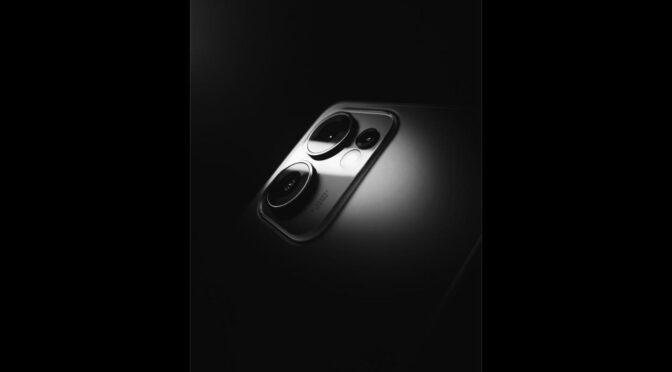
Close-up of a dark iPhone's triple camera lens on a dark background
Photo by Ali Revango via Pexels — Licensed under the Pexels License

On the software side, rumors point to more advanced computational photography features, building on Apple’s recent investments in on-device image processing. Improved video stabilization and higher-resolution sensor crops for zoom shots are also said to be under consideration.

Battery Life Expectations

Battery life is another area where leakers expect real gains. A larger cell is rumored to be possible thanks to internal layout changes, and a more power-efficient chipset built on a smaller manufacturing process could stretch battery life noticeably compared to the iPhone 17 Pro Max.

Silver iPhone charging with a Lightning cable on a wooden desk
Photo by Markus Spiske via Pexels — Licensed under the Pexels License

What This Could Mean for Buyers

If these rumors hold up, the iPhone 18 Pro Max could appeal strongly to photography enthusiasts and heavy users who have been asking for longer battery life for years. As always, these details are unconfirmed until Apple’s official announcement, so treat early leaks as a general direction rather than a final specification.

  • Rumored redesigned periscope zoom lens
  • Upgraded sensors across all three rear cameras
  • Larger battery cell rumored
  • More power-efficient chipset expected

All specifications mentioned are based on unofficial rumors and are subject to change until Apple’s official announcement.

How the 2026 World Cup Format Works: 48 Teams, 12 Groups, and the Road to the Final

The 2026 FIFA World Cup introduced the biggest format shake-up in the tournament’s history, expanding from 32 to 48 teams. With the competition already underway across the United States, Mexico, and Canada, here is a breakdown of how the new format works and the road each team must travel to reach the final at MetLife Stadium.

48 Teams, 12 Groups of Four

Instead of the previous 32-team, eight-group structure, this tournament splits 48 nations into 12 groups of four, labelled Group A through Group L. The expanded format guarantees at least three matches for every team during the group stage, giving smaller footballing nations a genuine chance to make a mark on the world stage.

A New Knockout Stage: Round of 32

The biggest structural change is the addition of a Round of 32. The top two teams from each group advance automatically, joined by the eight best third-placed teams across all 12 groups. This new round adds extra jeopardy and drama before the tournament reaches its more familiar knockout shape.

Soccer ball on the pitch during a World Cup match
Pexels / Free to use

104 Matches Over 39 Days

The expanded format means a total of 104 matches will be played, up from 64 in the previous 32-team edition. The tournament runs across 39 days, giving fans a longer, more drawn-out festival of football than any World Cup before it.

The Road to the Final

After the Round of 32, the tournament moves into a familiar Round of 16, followed by quarterfinals, semifinals, a third-place match, and finally the championship match at MetLife Stadium in New Jersey. Every stage narrows the 48-team field until a single champion is crowned.

  • Group stage: 12 groups of 4 teams
  • Round of 32: newly added knockout stage
  • Round of 16, quarterfinals, and semifinals follow
  • 104 total matches across the tournament
  • Final hosted at MetLife Stadium, New Jersey
Fans celebrating in the stands at a World Cup stadium
Pexels / Free to use

Images used in this article are sourced from Pexels and are free to use under the Pexels License. Match schedules and results reflect the tournament as it is currently being played and may be subject to official updates.

The Images You Desire